 Call Us : 08045814233Call Us : 08045814233

 Send Inquiry
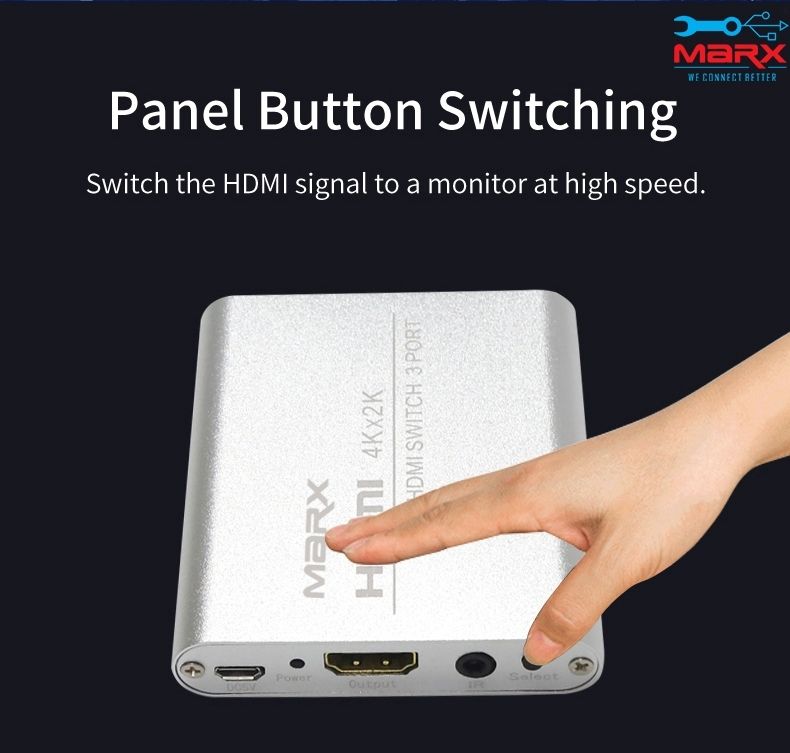
MARX HDMI Switch 3 port
Price 1850 INR/ Piece
MOQ : 1 Piece
MARX HDMI Switch 3 port Specification
- Application
- Home Theater, Gaming, Office, Multimedia Systems
- Supply Voltage
- 5V DC (via HDMI or external power if needed)
- Installation Guideline
- Plug and Play, No external power required for most devices
- Technique
- Injection Molding, PCB Assembly
- Mounting Type
- Desktop, Set-top
- Thickness
- Approx. 1.8 cm
- Equipment Type
- HDMI Switch - 3 Port
- Standard
- HDMI 1.4 compatible
- Design
- Compact and Lightweight
- Output Voltage
- Standard HDMI Output
- Process
- Electronic Soldering and Plastic Forming
- Color
- Black
- Dimension (L*W*H)
- Approx. 8.5 x 5.8 x 1.8 cm
- Usage
- Switching HDMI input sources to a single display
- Processing
- SMT Mounting, Precision Assembly
- Finish
- Matte Surface
- Humidity
- 10%~85% RH (non-condensing)
- Frequency
- Up to 340 MHz TMDS clock
- Size
- Standard (Portable)
- Input Voltage
- 5V DC (HDMI powered)
- Temperature
- -15C to 55C
- IP Rating
- Not rated for water/dust ingress
- Surface Treatment
- Smooth and Scratch-resistant
- Service Period
- Up to 3 years depending on usage
- Tolerance
- Standard electronic device tolerance
- Weight
- Approx. 40g
- Material
- ABS Plastic, Electronic Components
- Product Type
- HDMI Switch
- Cable Length (Included)
- Typically none, user-supplied HDMI cables required
- Manual Switch
- Yes (Push-Button)
- Compatible Devices
- HDTV, Monitor, Projector, Blu-ray Player, PlayStation, Xbox, PC
- Remote Control
- Yes (Infrared Remote Included)
- LED Indicator
- Yes (Shows active port)
- Power Consumption
- Low (<1W, usually powered via connected HDMI devices)
- Number of Output Ports
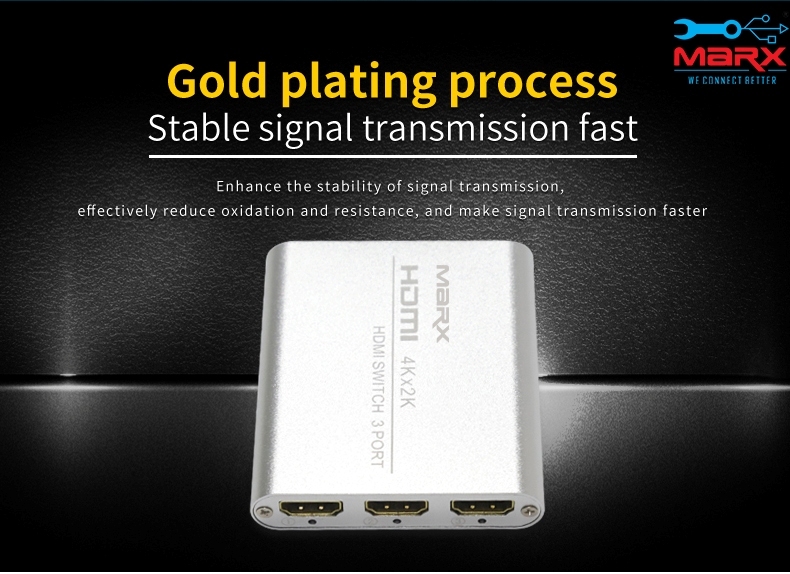
- 1 HDMI Out
- Audio Support
- DTS, Dolby Digital, LPCM, Compressed Audio & Uncompressed Audio
- Number of Input Ports
- 3 HDMI In
- HDCP Support
- Yes
- Supported Resolution
- Up to 1080p Full HD, 3D Support
- Automatic Switching
- Yes (Auto selects active input)
About MARX HDMI Switch 3 port
In order to get more digital content with better picture quality on your TV or LCDs, you can connect several HDMI inputs using an HDMI switcher. Anywhere in the house, TVs or LCDs can be connected using the special auto-adaptive equalizers that allow for the use of longer cables. It offers commercial-grade output with a variety of switching and control options.
Effortless HDMI Source Management
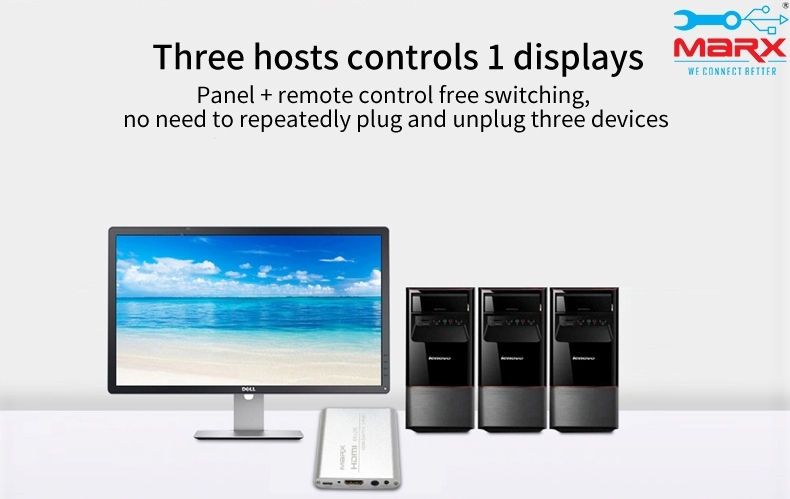
Switch swiftly between your gaming consoles, Blu-ray player, PC, and more using the MARX HDMI Switch 3 Port. Its automatic and manual switching modes simplify source selection while maintaining high-definition video and audio transmission for all your entertainment or office needs.
Simple Installation and Compatibility
Designed for hassle-free setup, the MARX HDMI Switch requires no external power for most uses, and works with standard HDMI devices such as HDTVs and projectors. Supplied with an infrared remote, users enjoy both convenience and flexibility in switching sources.
FAQ's of MARX HDMI Switch 3 port:
Q: How do I set up the MARX HDMI Switch 3 Port?
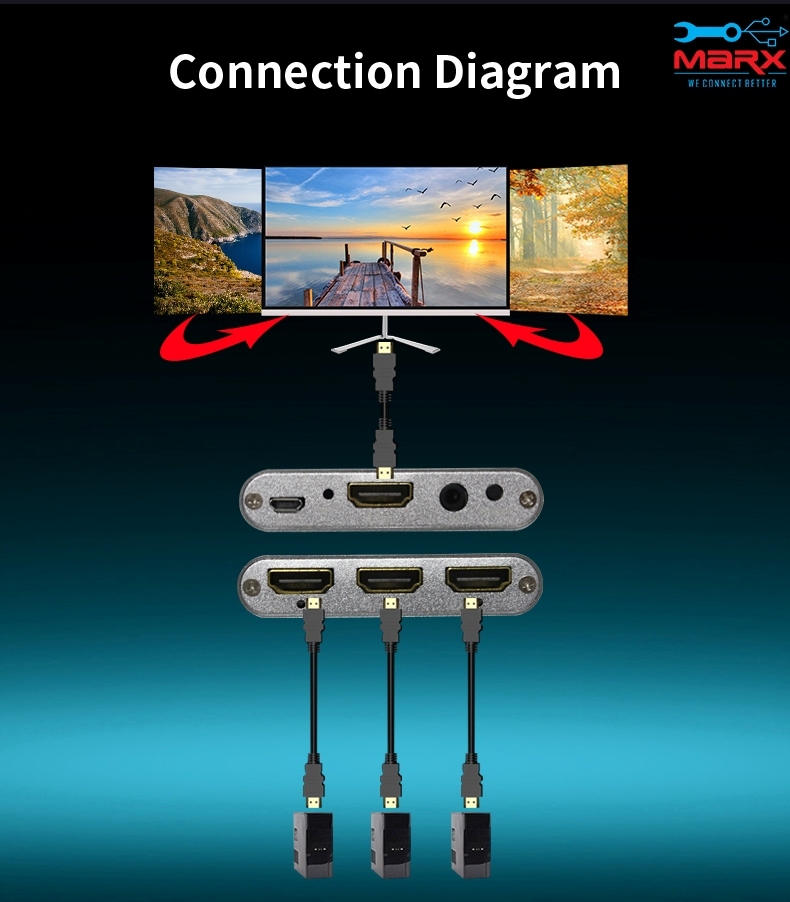
A: Installation is plug-and-play-simply connect your HDMI input sources and output cable to the corresponding ports. For most devices, no external power is needed since the switch is powered via connected HDMI devices. Use the remote or push button to select your input.Q: What devices are compatible with this HDMI switch?
A: This switch is compatible with HDTVs, monitors, projectors, Blu-ray players, PlayStation, Xbox, PCs, and other HDMI-enabled equipment, making it ideal for home theater, gaming, office, and multimedia systems.Q: When should I use automatic versus manual switching?
A: Automatic switching is useful when you want the switch to detect and select the active input source automatically. Manual switching, available via push-button or remote, lets you override and select your preferred source anytime.Q: Where is the LED indicator located and what does it show?
A: The LED indicator is located on the switch's front panel and clearly displays which input port is currently active, helping users identify the selected source at a glance.Q: What audio formats does the MARX HDMI switch support?
A: It supports a wide range of audio formats, including DTS, Dolby Digital, LPCM, as well as compressed and uncompressed audio, ensuring high-quality sound performance for your connected devices.Q: How does using this HDMI switch benefit my entertainment setup?
A: With 3 input ports and seamless switching options, you can easily connect multiple devices to one display without constant cable swapping. Its compact design saves space, while HDCP and Full HD support guarantee compatibility and clear visuals.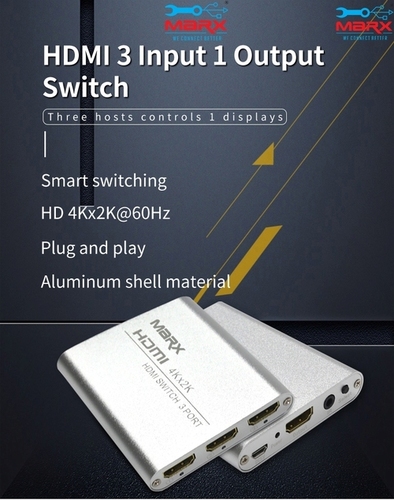

Tell us about your requirement

Price:
Quantity
Select Unit
- 50
- 100
- 200
- 250
- 500
- 1000+
Additional detail
Mobile number
Email

More Products in HDMI Products Category

MARX HDMI 2.0v 3m cable
Price 475 INR / Piece
Minimum Order Quantity : 1 Piece
Application : Television, Projector, Monitor, Home Theater, Gaming Console, Computer
Technique : Triple shielded, precision molding
Installation Guideline : Connect HDMI male to HDMI female port on respective devices
Mounting Type : Plug and Play
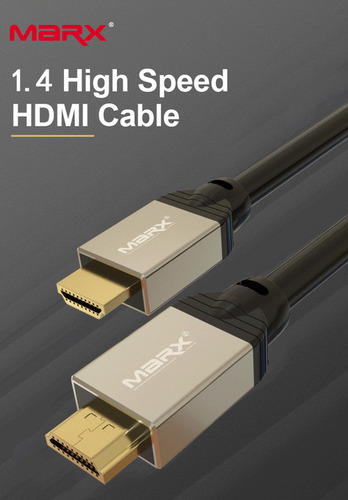
MARX HDMI 1.4V 3M cable
Price 490.0 INR / Piece
Minimum Order Quantity : 1 Piece
Application : Connecting HDTVs, monitors, settop boxes, Bluray players, gaming consoles, and other HDMIenabled devices
Technique : Multilayer shielding for interference protection
Installation Guideline : Plug & play; connect HDMI male ends to compatible HDMI ports
Mounting Type : External cable, direct connection
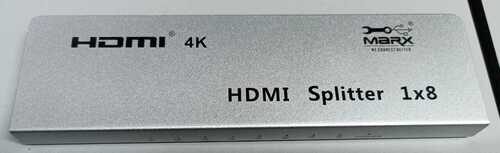
HDMI Splitter 8 Port
Price 3750 INR / Piece
Minimum Order Quantity : 1 Piece
Application : Home Theater, Conference Room, Digital Signage, Education, Commercial Display
Technique : Digital Signal Processing
Installation Guideline : Plug and play, connect HDMI source and displays, power on unit
Mounting Type : Desktop / Rack Mount
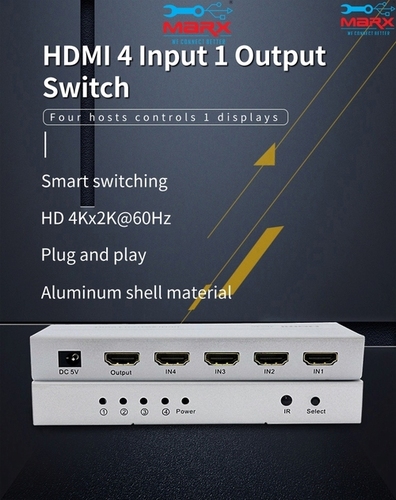
MARX HDMI Switch 4 port
Price 2500 INR / Piece
Minimum Order Quantity : 1 Piece
Application : Home Entertainment, Office, Gaming Setups, Conference Rooms
Technique : Microchip Controlled
Installation Guideline : Plug and Play, No External Power Required for Most Devices
Mounting Type : Desktop

Address
GST : 27AADPT7876N1ZO
- 306, 3rd Floor, Ganesh Bhuvan, S.V.Marg, Lamington Road, Grant Road (E),Mumbai - 400007, Maharashtra, India
- Phone :08045814233
- Send Inquiry
 Send Inquiry
 Send Inquiry
 Send SMS
 Call Me Free
 |
JAYSHREE ELECTRONICS
All Rights Reserved.(Terms of Use) Developed and Managed by Infocom Network Private Limited. |
